


1Win Online Casino India – Security and Player Protection

1Win Online Casino India – Security and Player Protection
Содержимое
-
Encryption protocols for data transmission
-
Licensing and Regulatory Compliance in India
-
Primary Licensing Bodies Recognized by Indian Operators
-
Two-Factor Authentication for Player Accounts
-
Responsible gambling tools and limits
-
Fraud Detection and Transaction Monitoring
-
How the system works
-
Customer Support and Dispute Resolution Mechanisms
-
How to file a dispute
-
Escalation path
Begin by enabling two‑factor authentication right after you complete a 1win login. The extra code sent to your mobile device blocks unauthorized access, and you can deactivate it instantly from the account settings if you lose the phone.
Verify that the 1win app download originates from the official website or a verified store. The genuine 1win apk carries a digital signature that matches the publisher’s certificate; mismatched signatures usually indicate a tampered file.
Set a unique, long password 1 win app login for your 1 win account and change it every three months. Pair the password with a password manager that generates random characters, which reduces the risk of guesswork attacks.
Review the encryption details listed in the platform’s security page. AES‑256 encryption protects all data transmitted between your device and the casino server, while SSL certificates ensure that login credentials remain private.
Contact the support team through live chat or email if you notice any suspicious activity. The response team typically verifies identity within ten minutes and initiates a session lock to prevent further damage.
Encryption protocols for data transmission
Use TLS 1.3 for every 1win login and data exchange; it encrypts packets with forward‑secrecy ciphers and eliminates fallback to weaker versions. The protocol negotiates a fresh session key each time, so even if a network node is compromised, intercepted traffic remains unreadable.
Configure the client to verify the server’s X.509 certificate against the trusted root store. A valid certificate chain confirms that the endpoint belongs to 1win and blocks man‑in‑the‑middle attempts. The verification step occurs automatically in the 1win app download process, but you can reinforce it by enabling strict hostname checking in your device settings.
When installing the 1win apk, prefer the official source; sideloaded files often lack signature verification. The authentic APK is signed with a SHA‑256 hash that matches the hash published on the 1win website. After installation, the app initiates a TLS handshake before sending any user credentials.
Regularly update the 1win app to receive patched cryptographic libraries. Each update replaces outdated OpenSSL modules with versions that support the latest cipher suites, reducing the attack surface for potential exploits.
Licensing and Regulatory Compliance in India
Before you place a bet, verify that the 1win app download displays a valid Curacao eGaming license number; this simple check protects your funds and personal data while you enjoy the platform.
Primary Licensing Bodies Recognized by Indian Operators
| Curacao eGaming | Curacao | 8048/JAZ | National Gaming Commission (NGC) | India | NGC-2023-015 | Malta Gaming Authority | Malta | MGA/B2C/12345 |
The 1win platform aligns its operations with the National Gaming Commission’s anti‑money‑laundering guidelines; during 1win login, you will be asked to upload a government ID and proof of address, which the system cross‑checks against the latest watchlists.
Keep the 1win app updated after each 1 win session; regular patches incorporate the newest regulatory requirements, ensuring you stay within legal boundaries without interrupting gameplay.
Two-Factor Authentication for Player Accounts
Enable two-factor authentication (2FA) in the 1win app today by opening Settings → Security, turning on the 2FA toggle, scanning the QR code with a trusted authenticator, entering the generated six‑digit code, and storing the backup key safely; the 1win app download already contains the latest 2FA module, whether you install the 1win apk on Android or the iOS version.
With 2FA active, each login demands both your password and a time‑based code, which blocks unauthorized entry even if credentials are compromised; players observe a noticeable drop in fraud alerts, and the extra layer protects funds, personal data, and active wagers, making the 1 win platform a reliable choice for secure gaming.
Responsible gambling tools and limits
Set a daily deposit limit directly in the 1win app to keep your spending within a comfortable range.
After you complete the 1win login, navigate to the “Safety” section where you can enable self‑exclusion for periods ranging from a week to permanent removal. The system automatically blocks all betting activity, ensuring you take the needed break without extra steps.
Use the built‑in session timer to receive pop‑up reminders after 30, 60, or 90 minutes of play. These alerts appear on both the 1win app and the web portal, allowing you to pause, evaluate your balance, and decide whether to continue.
Configure loss limits by setting a maximum amount you are willing to lose each week. When the threshold is reached, the platform sends a notification and temporarily disables further wagers.
All features are accessible after a 1win app download or via the 1win apk; simply open the menu, choose “Responsible Gaming,” and adjust the parameters that suit your habits.
Fraud Detection and Transaction Monitoring
Enable real‑time alerts in your 1win app to spot suspicious activity instantly; after you complete the 1win app download, log in with your 1win login, activate the notification toggle, and the system will flag any bet that strays from your normal pattern. The same safeguard runs in the 1win apk, ensuring coverage across devices.
How the system works
The platform runs a multi‑layer algorithm that reviews every deposit and withdrawal, cross‑checking IP address, device fingerprint, and betting speed against a database of known fraud signatures. When a mismatch occurs, the transaction is paused, an email is sent to the account holder, and a support ticket opens for manual review. Users receive a concise summary in the app, allowing quick confirmation or denial without interrupting gameplay. Regular reports appear in the 1 win dashboard, showing totals, flagged items, and resolution status, helping you stay informed about the safety of your funds.
Customer Support and Dispute Resolution Mechanisms
Use the live‑chat button on the 1win dashboard for instant help with any issue; the agent will verify your 1win login and guide you step‑by‑step.
Reach the support team by three channels: live chat, [email protected], and the toll‑free number listed in the app. The 1win app displays the contact panel on the main screen, so you never need to leave the game.
Typical reply time stays under 15 minutes for chat, under an hour for email, and the phone line connects within two minutes during peak hours. If you experience a delay, request a reference ID and note the timestamp.
How to file a dispute
Open the “Help” section after a 1win login, select “Submit a dispute,” attach screenshots, and describe the transaction in no more than three sentences. The system generates a ticket number that you can track from the “My tickets” page.
Escalation path
If the first response does not resolve the matter, click “Escalate” inside the ticket view; the case moves to the senior resolution team, who reply within 24 hours. All communications remain encrypted, protecting your personal data throughout the process.
For mobile users, download the latest 1win apk via the official 1win app download page; the app includes a shortcut to the support chat, ensuring you can raise and monitor disputes without switching devices.
Benzer Konular
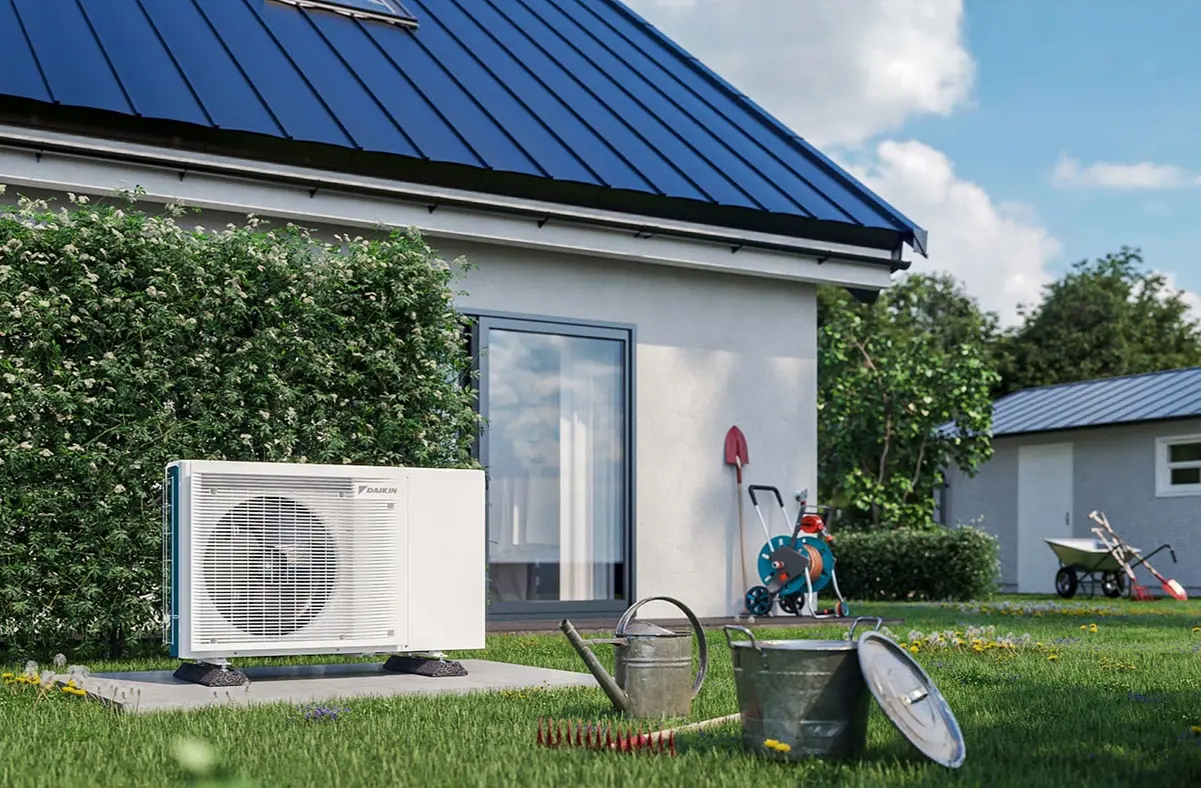
İklim değişikliği, yükselen enerji maliyetleri ve enerji arz güvenliği kaygıları, dünya genelinde binaların ısıtma ve soğutma anlayışını yeniden şekillendiriyor. Özellikle Avrupa’da fosil yakıtlı sistemlerden elektrikli ve yüksek verimli teknolojilere geçiş hız kazanırken, bu dönüşümün merkezinde ısı pompaları yer alıyor. Uluslararası Enerji Ajansı’nın (IEA) 2026 Dünya Enerji Yatırımları Raporu’na göre, 2026’nın...

İğneada’daki Longosphere Glamping’in spa bölümünde kullanılan LG Therma V™ havadan suya ısı pompası, tesisin ısıtma ve sıcak su ihtiyacına yönelik çözüm sunuyor. LG Therma V™ havadan suya ısı pompası, spa alanının ısıtılmasını ve sıcak su ihtiyacını tek bir sistem üzerinden destekliyor. Böylece misafirlerin gün boyunca kullandığı alanda ortam sıcaklığı ve...

Müteahhitten ev alırken sözleşme yapmak, hem mülk sahibinin hem de yatırımcının güvenliği için çok önemlidir. Bu rehberde, sözleşme anlaşmasında dikkat edilmesi gereken hususlar anlaşılır ve yasal bir çerçevede ele alınmaktadır. Müteahhit ile yapılan inşaat veya ev alım sözleşmeleri, özellikle kat karşılığı veya ön satış işlemlerinde, dikkatli düzenlenmediğinde mağduriyetlere yol açabilir....

Bulunduğu bölgeye değer katan yapılar üretme misyonuyla yol alan Siltaş Yapı’nın Yönetim Kurulu Başkan Yardımcısı Murat Özdemir,8 Kasım Dünya Şehircilik Günü kapsamında önemli açıklamalarda bulundu. Şehirlerin yenilikçi ve sürdürülebilir binalarla yeniden şekillenebileceğini vurgulayan Özdemir, binaların planlanmasında ise Türkiye’nin bir deprem bölgesi olduğu gerçeğinin unutulmaması ve kentsel dönüşüm projelerine ağırlık verilmesi...

Türkiye Müteahhitler Birliği (TMB) Başkanı M. Erdal Eren, 30 Ağustos Zafer Bayramı nedeniyle yayınladığı açıklamada, “Cumhuriyetimizin kurucusu Ulu Önder Mustafa Kemal Atatürk’ün ‘Büyük, kutsal hedefler, erişilemeyecek hedeflerdir. Bu sebeple herhangi bir hedefe erişmekle yetinmeyeceğiz. Sürekli olarak daha ilerisine varmak için çalışacağız.’ sözünden hareketle, yurt içinde “ekonominin lokomotifi”, yurt dışında ise...

Dış cephe ısı yalıtımı bugüne kadar hep yüzde 50’yi geçen ısıtma tasarrufu ile gündemdeydi. Ancak ısı yalıtımı, yalnızca kış aylarında doğalgaz faturasını düşürmüyor. Yaz mevsiminde de klimaların elektrik faturası üzerindeki yükünü azaltıyor. Üstelik yılın en sıcak ayında yüzde 43 oranında… Ne kışlar bildiğimiz kış ne de yazlar tanıdığımız o...